Shopify app
Korbora Quantity Rules & MOQ
Enforces minimum, maximum and step quantities — sold in packs of six — per variant, product, collection and customer tag, plus cart minimums, on any Shopify plan.
About
What sets it apart
The rules are enforced at checkout by a Shopify validation function, so they hold even when a buyer edits the cart or another app changes a quantity. Pricing is flat, with no order or revenue caps, and nothing needs Shopify Plus.
Set a minimum, a maximum, or a step — “sold in packs of six” — on a variant, a product, a collection or a customer tag, and a minimum for the cart as a whole. The storefront shows the rule next to the quantity field and rounds to the nearest valid amount; the cart corrects lines that no longer fit; checkout refuses anything that slipped past both.
The rules live as metafields on your own products, so they are yours to read, export and keep.
In the app
See it in action
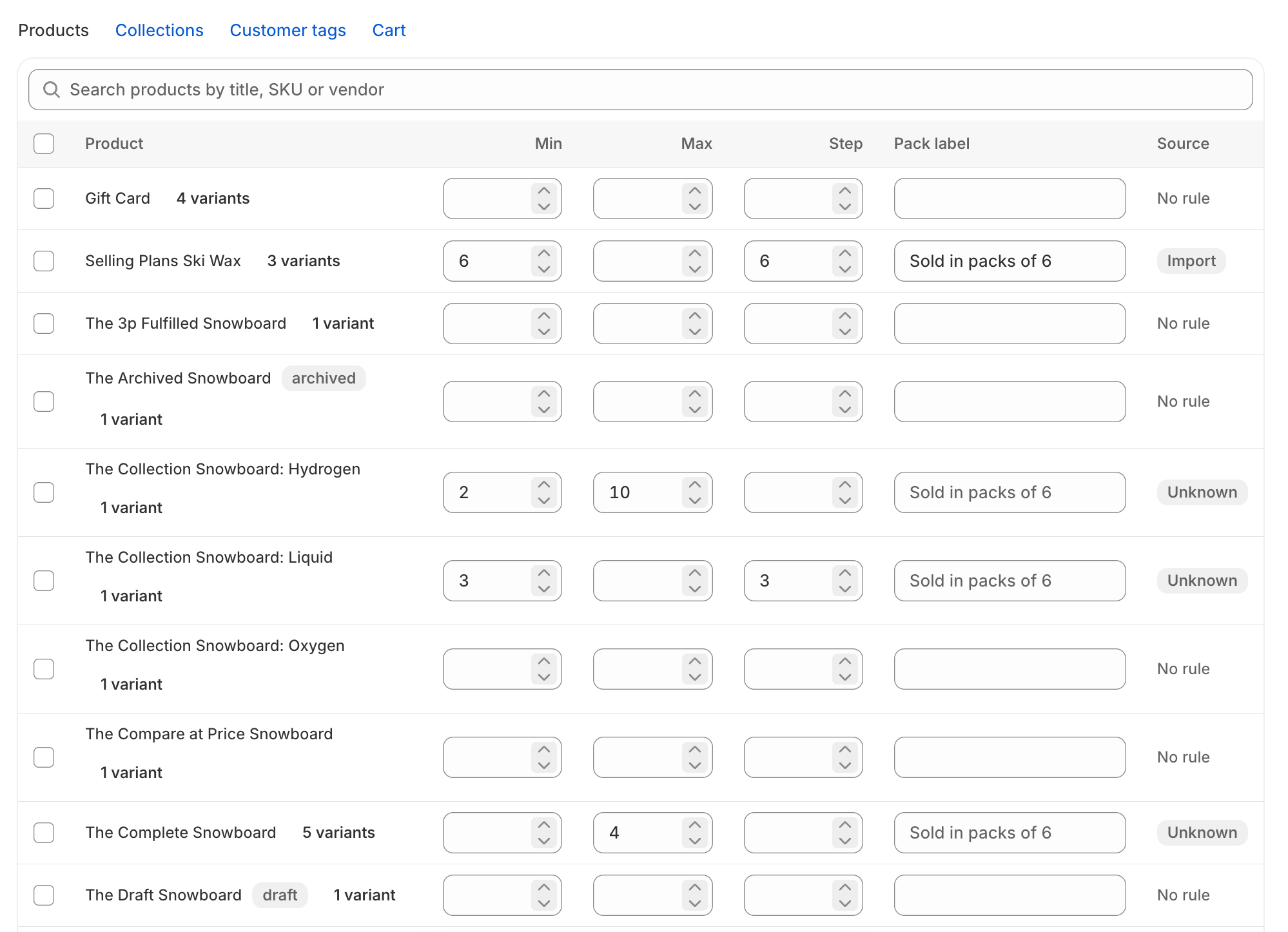
Set a rule in the row, not in a modal
Minimum, maximum, step and pack label per product or variant, edited inline or in bulk, with a badge for rules that came from a CSV import.
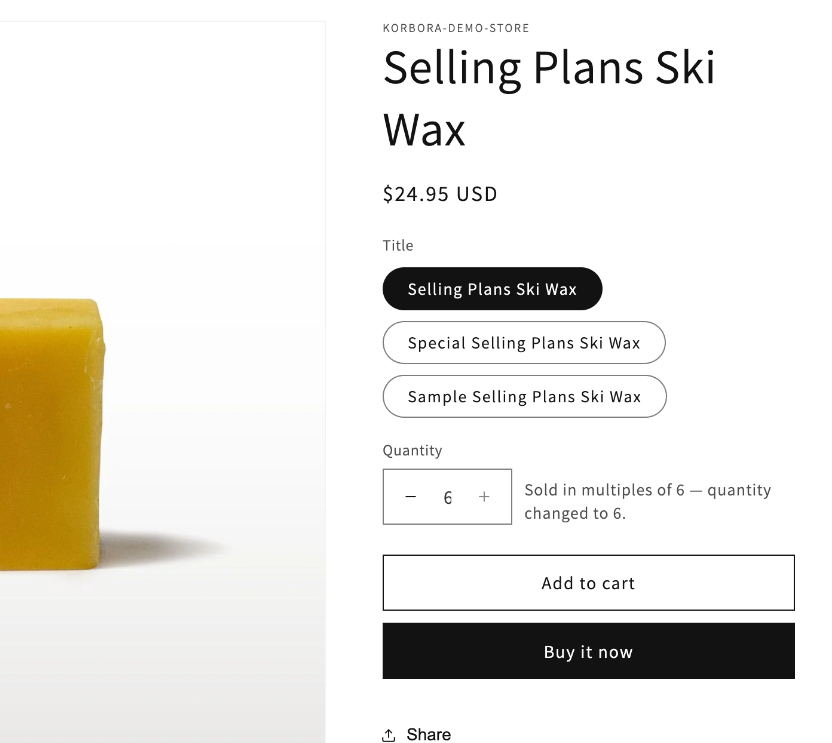
Invalid quantities never reach the cart
The quantity field shows the pack size and rounds to the nearest valid amount, with a hint that says why. A cart line that no longer fits is corrected the same way.
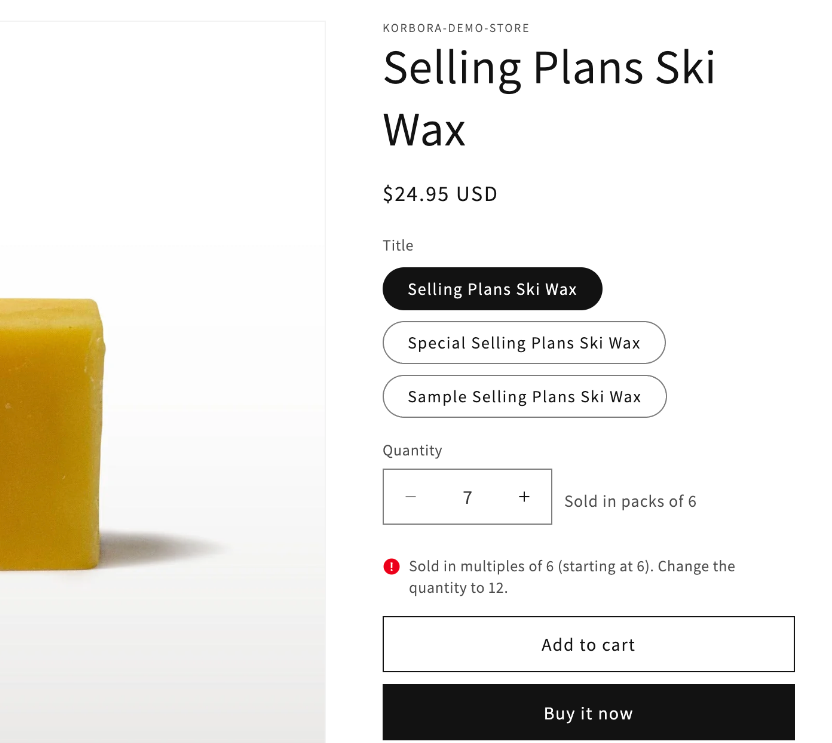
Enforced again where it counts
A Shopify validation function refuses a cart that breaks a rule — from a direct cart link, Buy it now, or a theme without the hint — and names the rule and the quantity to fix.
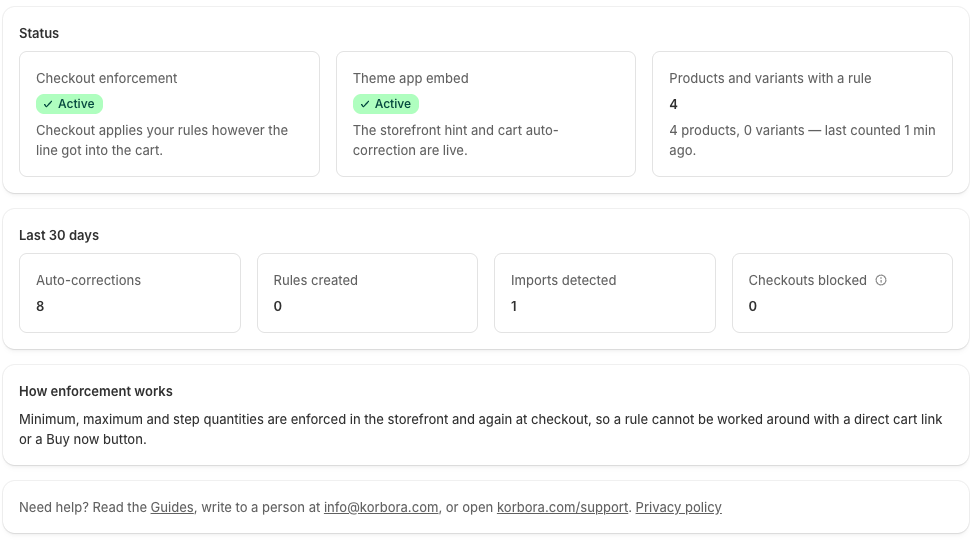
Know it is working
Whether the storefront embed and the checkout validation are on, thirty-day counts of auto-corrections and blocked checkouts, and a three-step onboarding checklist.
Your wording, in every language you sell in
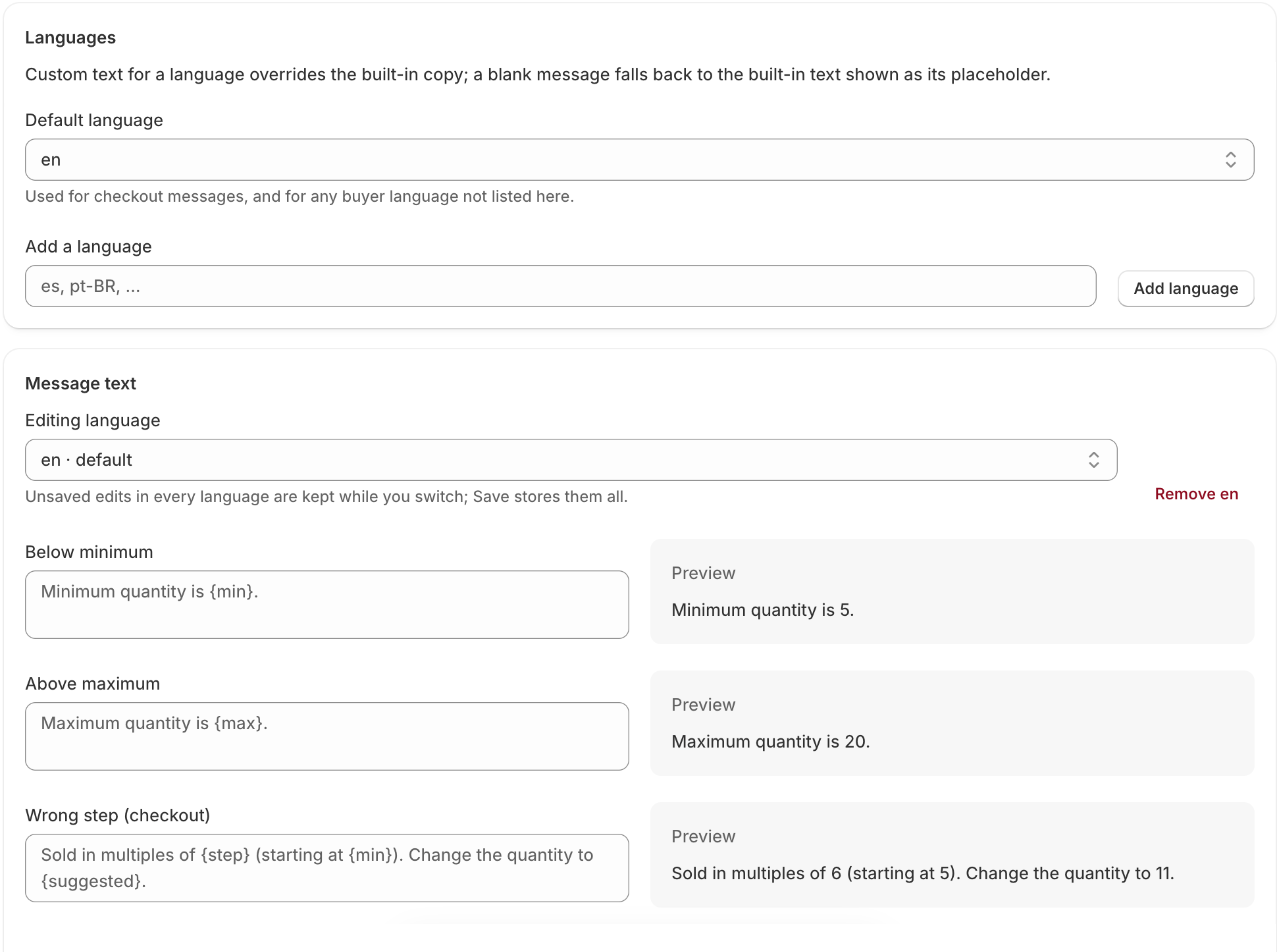
Every hint, cart notice and checkout message is editable per language, with a live preview beside the field. Defaults ship in English, Lithuanian, German, Polish and French.
Bulk-load rules from any tool
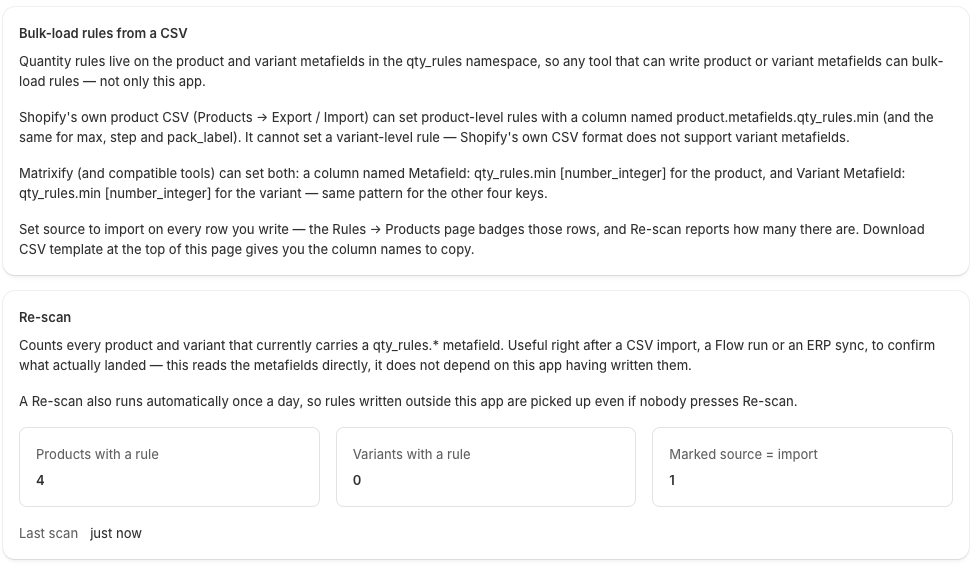
A CSV template for bulk-loading rules as product metafields, and a re-scan that counts what was imported from a CSV, Matrixify, Flow or an ERP.
Rules for collections
A rule per collection, with a priority order for products in more than one.
Rules for customer tags
Override or exempt rules for customers carrying a tag — wholesale accounts, for example.
Rules for the cart
A minimum cart value, and minimum and maximum total quantities.
Design
Hint style, rounding direction, whether add-to-cart is disabled while a quantity is invalid, and selector fallbacks for non-standard themes.
Plan
The current plan and its limits.
Safe by design
What you can count on
Enforced at checkout, not only in the theme
A Shopify validation function checks every cart, so your rules hold even when a buyer edits the cart or another app changes a quantity.
Your rules stay in your store
Minimum, maximum and step are metafields on your own products — yours to read, export and keep, even after uninstall.
Works on any Shopify plan
Enforcement runs as a checkout validation, which every plan supports. Nothing needs Shopify Plus, and pricing is flat with no order caps.
Rounds instead of blocking
The storefront rounds a quantity to the nearest valid amount and shows the shopper why; the cart corrects lines that no longer fit.
Pricing
What it costs
| Plan | Monthly | Yearly | Includes |
|---|---|---|---|
| Free | Free | — | One product or variant with a rule, messages in one language, and a small app credit under the hint |
| Starter | $6.99 | $59 | Unlimited product and variant rules, cart minimum order value and cart quantity limits, no app credit line |
| Growth | $12.99 | $109 | Everything in Starter, plus collection rules, customer-tag rules and exemptions, and messages in every language you sell in |
| Plus | $24.99 | $209 | Everything in Growth, plus priority support |
Prices in USD. Three-day free trial on every paid plan. Development stores are not charged. Minimum, maximum and step rules are part of every product and variant rule on every plan, including Free. Prices are flat — no order or revenue caps.
Questions
Before you decide
Does it work on Basic Shopify?
Yes. Enforcement is a Shopify checkout validation function, which runs on every plan. Nothing here needs Shopify Plus.
A variant and its product both have rules. Which wins?
The variant, field by field. A variant minimum beats the product minimum; where the variant sets nothing, the product value applies.
A customer tag rule and a collection rule both apply. Which wins?
The tag rule.
What about bundle or subscription apps that change quantities?
The storefront hint still shows, but lines with bundle properties or a selling plan are not auto-corrected in the cart. The checkout validation still checks them.
What stays if I uninstall?
The metafield definitions and the rule values on your products — they are your data. The app's own records are cleared after 48 hours.
Which access does it ask for?
Products, to store your rules as metafields; the checkout validation that enforces them; your store's primary language, read once at install; and an app proxy the storefront embed reads rules through. Not your orders, not your customers, not your theme.
What does it not do?
Quantity discounts or volume pricing, B2B companies and catalogs, POS, draft orders, purchase-frequency limits, weight-based rules, or stock checks at checkout. Cart minimums apply in your base currency only, in version 1.